Purpose
Under PLC Pro Methods, entry into Auto Mode is a deliberate operating-mode transition. The operator asks for Auto Mode, and the control program decides whether the installation is ready to turn its actions over to automatic program direction.
Once Auto Mode is active, the control program directs installation activity. Manual Mode is no longer active, and requests authorized only for Manual Mode are not honored.
Automatic activity may begin and/or resume as its required conditions are satisfied, or the control program may wait for a separate operator request. The PLC Pro determines which behavior applies to each automatic operation.
The PLC Pro defines the conditions required to remain in Auto Mode. She or he always provides a means for the operator to cancel Auto Mode. The control program resets Auto Mode when any required condition is lost.
Request and Enter Auto Mode
Entry into Auto Mode begins with an operator action that the control program can detect and interpret as a request for Auto Mode.
An ordinary PLC Pro implementation uses a lighted pushbutton to request transitions between Manual Mode and Auto Mode. The light indicates that Auto Mode is active. When the light is off, pressing the button requests Auto Mode; when the light is on, pressing it requests an immediate transition to Manual Mode.

Another ordinary implementation uses separate momentary pushbuttons and indicators labeled “AUTO” and “MANUAL” to request and indicate the operating mode.
Both arrangements provide a simple, persistent means of requesting the operating mode without depending on HMI navigation, communications, or the operator's current screen selection. The controls remain immediately available regardless of what information or controls are being displayed elsewhere on HMI.
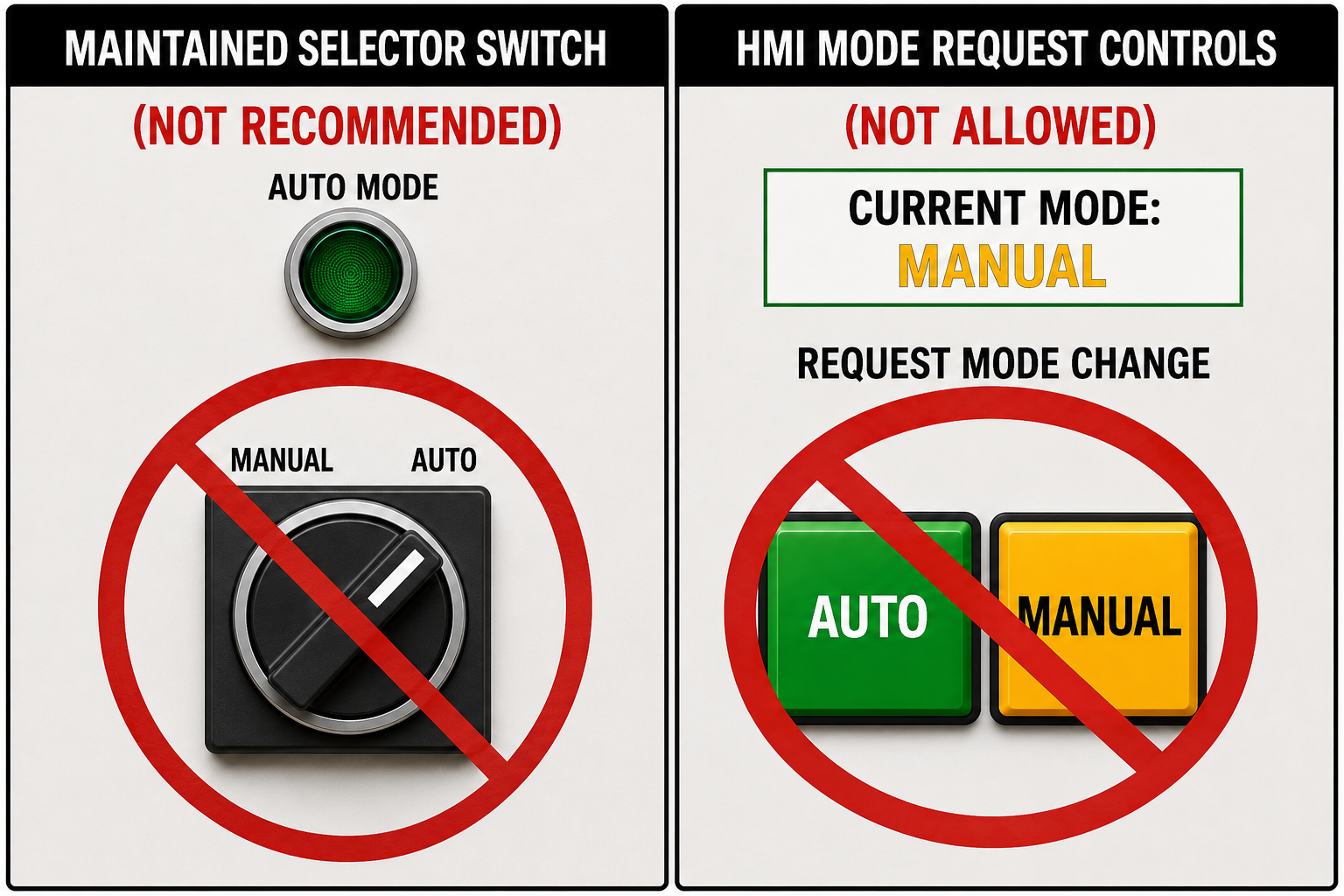
HMI should clearly indicate whether the control program is in Manual Mode or Auto Mode, but PLC Pro Methods do not provide the corresponding mode requests on HMI screens. Providing duplicate screen controls can encourage the operator to search for the appropriate HMI screen rather than use the persistent physical mode-transition control already provided.
A request to leave Auto Mode may be time-sensitive during operation, recovery, or troubleshooting. The operator should always know where that request is made and should not depend on HMI navigation to find it.
When the controls design does not provide a physical means of requesting these mode transitions, the PLC Pro must require that one be added. A request for Manual Mode may be time-sensitive, and the operator must not depend on HMI remaining powered, communicating, and responsive or on the mode request remaining on screen to make that request. An HMI failure may remove access to every screen control while the control program remains operational and Auto Mode remains active. For that reason, HMI screen controls are NOT AN ACCEPTABLE MEANS of requesting transitions between Manual Mode and Auto Mode.
When the controls design provides a maintained “MANUAL/AUTO” selector switch, the PLC Pro uses the switch-arming method. After Auto Mode is cancelled, the switch must first be detected in the “MANUAL” position; only a subsequent switch transition to “AUTO” can issue a new Auto Mode request. This prevents a selector left in “AUTO” from restoring Auto Mode when a cancelled condition is restored.
The same arming pattern is illustrated for a maintained Manual Mode command in Emergency Stop Mode Recovery.
Under PLC Pro Methods, the position of a maintained “MANUAL/AUTO” selector switch is never used as the indication of the operating mode. The switch position represents only the operator's last requested mode. The switch may remain in “AUTO” while the control program is in Manual Mode or E-Stop Mode.
HMI and physical mode indicators follow the actual operating mode established by the control program, not the selector-switch position. An “AUTO” indication therefore means that Auto Mode is actually active.
When the operator requests Auto Mode, the control program checks whether the installation is in a suitable state for automatic program direction. If it is, the request is accepted. If not, Auto Mode remains inactive.
For example, an installation may require its hydraulic power unit to be operating before Auto Mode can be entered. If the operator requests Auto Mode while the hydraulic power unit is not “ON”, the control program rejects the request and remains in Manual Mode.
Satisfying or restoring the required conditions does not substitute for the operator request. Making the installation suitable for automatic program direction must not independently place it in Auto Mode. Those conditions permit the transition into Auto Mode; they do not request it.
Establish Program Direction
Establishing Auto Mode places installation actions under automatic program direction. Requests authorized only for Manual Mode are no longer honored while Auto Mode is active.
A Manual Mode request may still be physically present after the transition into Auto Mode. An operator may be pressing a pushbutton, or a maintained control may remain in its previous position. While Auto Mode is active, that request does not authorize the corresponding equipment action.
Being in Auto Mode establishes that installation activity is under program direction; it does not by itself authorize any particular action or operation to occur. Each automatic action or activity remains subject to the conditions required for it to proceed.
Define How Automatic Activity Begins or Resumes
Where beginning or resuming automatic operation does not create a hazardous situation, the operator action that requests Auto Mode may also serve as the request to begin and/or resume automatic operation. In these circumstances, when the control program accepts that request and establishes Auto Mode, the same operator action IS the start request; the affected automatic operations may begin or resume as their required conditions are satisfied.
For example, pressing the “AUTO” pushbutton on a fully safeguarded machine may request Auto Mode and also serve as the start request for automatic operation. Once the control program accepts Auto Mode, cylinders may extend or retract, motors may start, conveyors may run, and the automatic sequence may begin as the required operating conditions for those actions are satisfied. No separate “CYCLE START” or other start request is required.
Where beginning or resuming automatic operation can create a hazardous situation, establishing Auto Mode does not start that operation. The control program waits for a separate deliberate operator start request before allowing hazardous automatic activity to begin or resume.
For example, a long conveyor system may be placed in Auto Mode without starting any conveyors. The operator then presses a separate “START” or “CONVEYOR RUN” control to request automatic operation. That request may initiate a required pre-start warning and delay before the control program starts the conveyors in their programmed order. Until that separate start request is made, establishing Auto Mode causes no conveyor movement.
Some installations use both approaches. Automatic operation may begin and proceed without a separate start request, while a particular operation within that sequence still requires a deliberate operator request before it may occur.
For example, a hydraulic press workstation may operate in Auto Mode with automatic loading and unloading sequences. The loading sequence brings the part into the press and positions it for the pressing operation. When loading is complete and the required conditions are satisfied, the two-hand controls are enabled for the press operation. The operator actuates those controls to initiate the press stroke. After the pressing operation is complete, the automatic unloading sequence may remove the finished part and prepare the workstation for the next cycle.
In every case, entering Auto Mode does not bypass the conditions required for an automatic operation to proceed. The control program permits each operation to begin, resume, and continue only as its required operating conditions are satisfied and, where required, the necessary operator intent has been established.
Define Exit From Auto Mode
The PLC Pro identifies the conditions that must remain satisfied for Auto Mode to remain active. The control program continuously evaluates those conditions while the installation is in Auto Mode.
The operator may request a transition from Auto Mode to Manual Mode. The control program always responds immediately to that request by resetting Auto Mode.
Conditions required to remain in Auto Mode may include operating states whose loss or appearance requires operator attention or makes continued automatic program direction inappropriate. They may also include conditions whose loss could result in equipment damage if automatic operation were allowed to continue.
For example, the PLC Pro may require the hydraulic power unit to remain “ON” while the installation is in Auto Mode. If that “ON” status is lost while Auto Mode is active, the control program resets Auto Mode.
Invocation of Emergency Stop (E-Stop) Mode always causes the control program to reset Auto Mode.
When Auto Mode is not active and E-Stop Mode is not active, the derived Manual Mode condition is active.
PLC Pro Design Rules
- Require a deliberate operator request before entering Auto Mode.
- Accept an Auto Mode request only when the installation state is suitable for automatic program direction.
- Do not allow satisfaction or restoration of an operating condition to independently establish or restore Auto Mode.
- Provide a readily accessible and clearly identified physical means of requesting transitions between Manual Mode and Auto Mode.
- Do not use HMI screen controls to request transitions between Manual Mode and Auto Mode.
- Avoid “MANUAL/AUTO” selector switches. If required to use one, it must be armed and disarmed as appropriate.
- “MANUAL/AUTO” indicators must display the actual operating mode established by the control program.
- Do not honor equipment requests authorized only for Manual Mode while Auto Mode is active.
- Define the operator request required to begin or resume each automatic operation.
- Require a separate deliberate operator start request when beginning or resuming automatic operation can create a hazardous situation.
- Require each automatic action to satisfy its applicable operating conditions before it begins, resumes, or continues.
- Immediately reset Auto Mode when the operator requests Manual Mode.
- Identify conditions whose appearance or absence requires Auto Mode to be reset.
- Continuously evaluate the conditions required to remain in Auto Mode.
- Always reset Auto Mode when E-Stop Mode is invoked.
- Derive Manual Mode whenever Auto Mode and E-Stop Mode are both inactive.